AI character generator: design them once, use them in every scene.
Describe a character and get a reference sheet from every angle. Then cast the same face in an image, a clip or a whole film. Pay as you go.
-
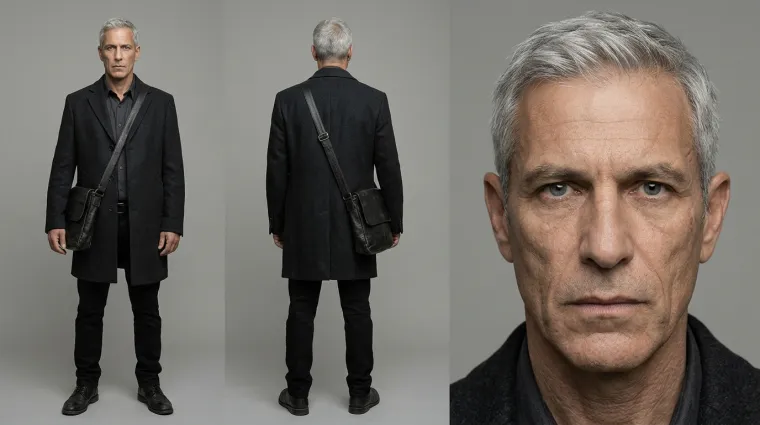
DavidThe courier -
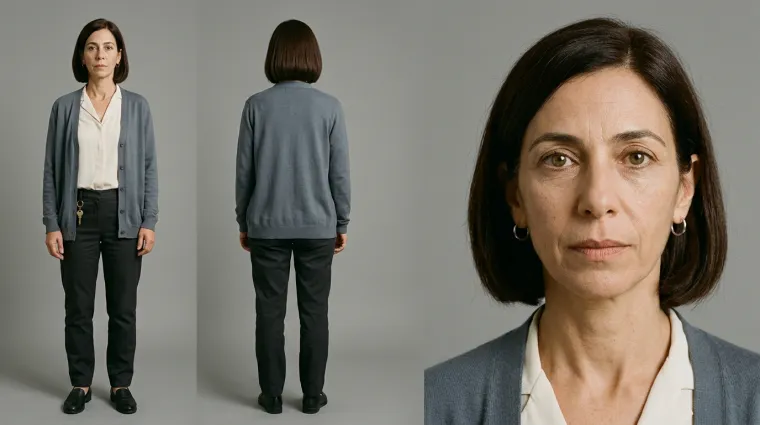
MiriamRuns the safe house -
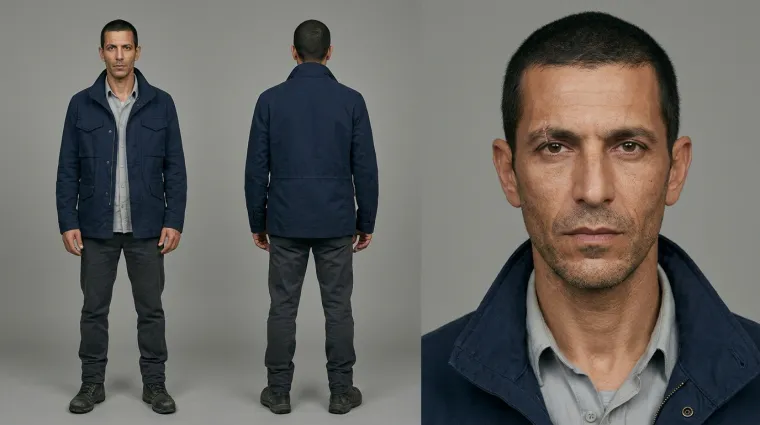
EliavThe missing man
Real reference sheets from a Studio film, The Wrong Passport. Each was made once and reused in every shot.
One sheet in. The same person in every shot.
A single AI image gives you a character once. Ask again and you get a stranger. A reference sheet fixes that: each shot below was generated from the sheet beside it.
-
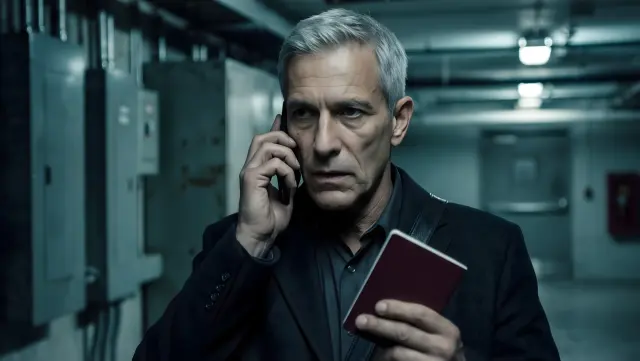 Shot 1
-
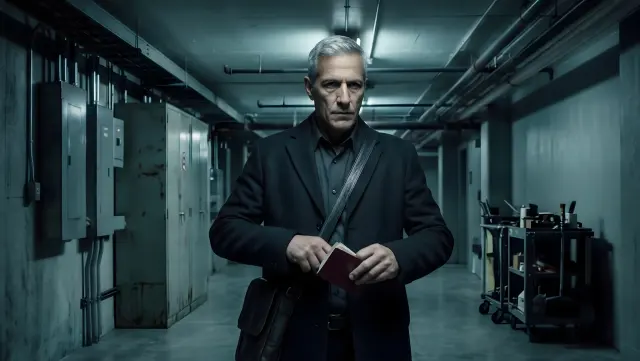 Shot 3
-
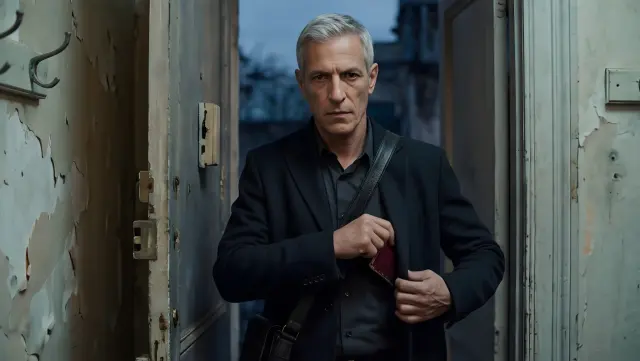 Shot 8
-
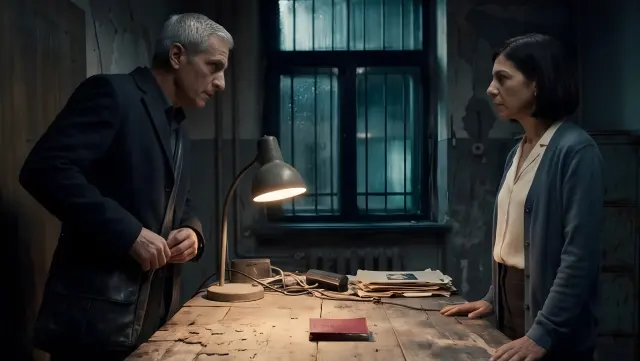 Shot 10
-
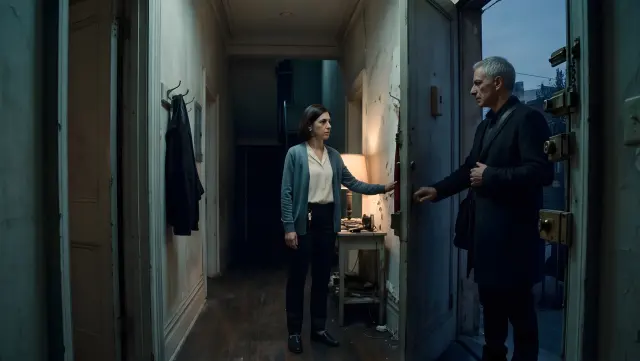 Shot 5
-
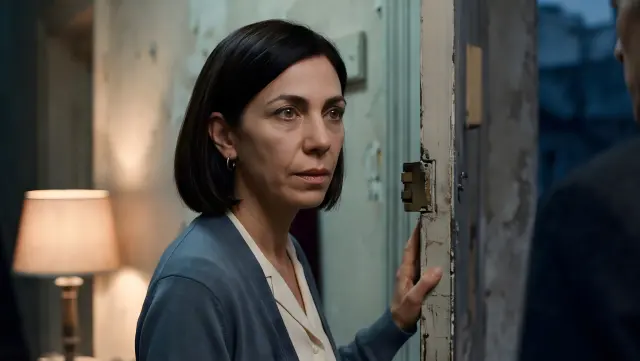 Shot 6
-
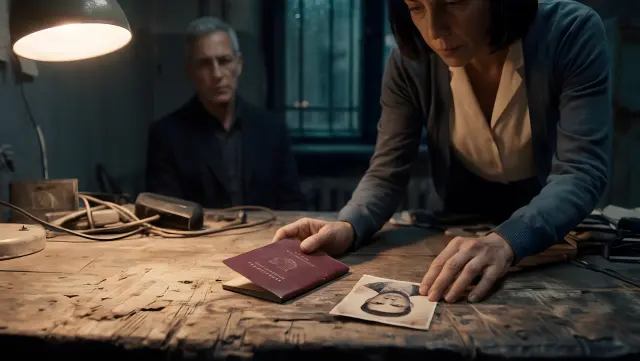 Shot 11
-
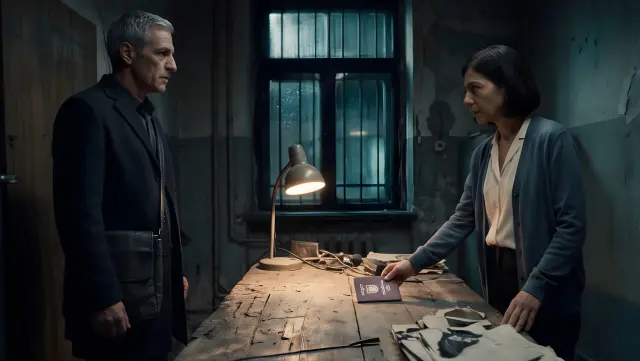 Shot 12
- Made onceThe sheet is the source. You do not describe the character again for every picture.
- Holds across scenesDifferent rooms, different light, different angles. The face and the outfit stay put.
- Carries into the next episodeIn a film project the cast is kept, so episode two starts with the people you already have.
Describe. Check the sheet. Cast them.
Three steps, and the first one is a sentence.
Describe how they look.
Face, hair, skin tone, clothing, the one detail people remember. Appearance only: no action and no setting. Add reference photos if the character should look like a real person.
Get the reference sheet.
Studio draws the character from several angles on one sheet, with the same outfit and the same proportions in each view. Not right? Change a line and run it again.
Put them in a scene.
Use the sheet as the reference for an image, a clip or a whole film. Every shot starts from it, so the character stays the same person.
Have a character in your head?
Write down how they look and see them from every side.
Anime, fantasy, 3D, or whatever you can describe.
Name the look in your description. The sheet keeps the same character across every view, whatever the style.
-
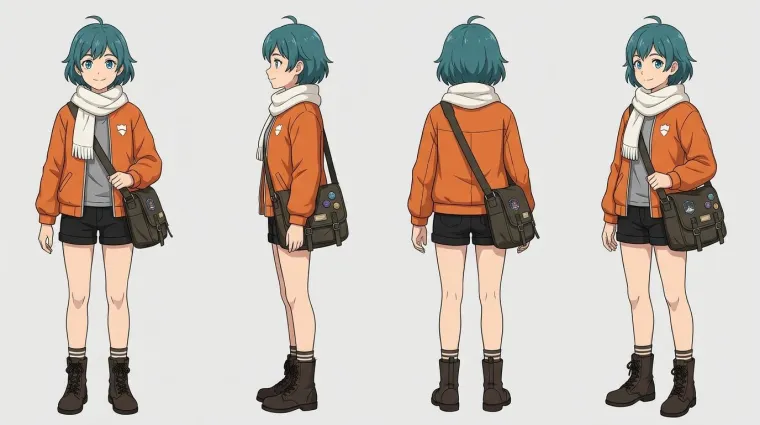
AnimeA courier with teal hair -
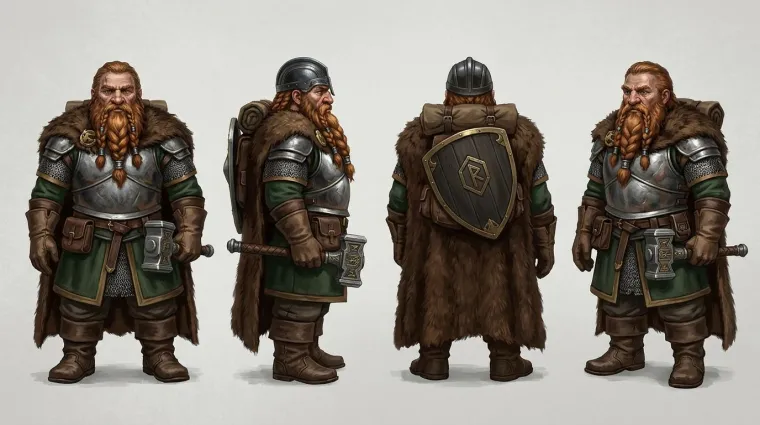
FantasyA dwarf cleric -
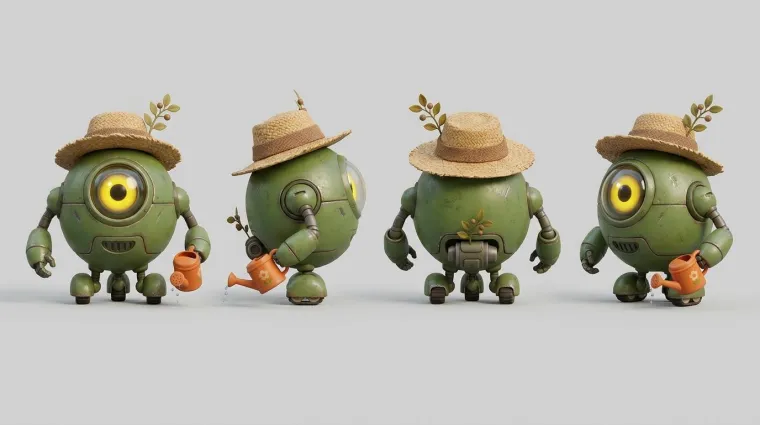
3D animationA robot gardener
Example sheets in three styles.
A character you can use again.
Most generators hand you a portrait. This one hands you a reference.
Every angle on one sheet
Front, side, back and three-quarter views of the same character, laid out together. It is the sheet an animator or a comic artist would ask for.
From a description or a photo
Write the character from scratch, or add up to eight reference photos and the sheet takes its likeness from them.
The same face in every scene
A sheet is a reference, not a one-off picture. Attach it to a shot and the face, the hair and the outfit carry over.
Anyone who needs the same character twice.
Video and mini drama creators
Cast your leads once and keep them identical from the first scene to the last episode.
Game masters and worldbuilders
Give every player character and every villain a face, and bring the same one back next session.
Writers and comic artists
See an original character from every side before you write or draw them into a scene.
Parents and teachers
Turn a child, a pet or a classroom mascot into a character, then give them a story of their own.
Already have the character? Give them a story.
Pitch one sentence and Studio writes the film, with your cast in every scene.
Where your character goes next
Use your character
Related tools
AI character generator, answered
What people ask before they make their first one.
What is an AI character generator?
It is a tool that creates a character from a written description. You describe how the character looks and the AI draws them. This one draws a full reference sheet, the same character from several angles, so you can use them again and again.
What is a character reference sheet?
A single image that shows one character from the front, the side, the back and at a three-quarter angle, in the same outfit. Artists and animators use one to keep a character consistent. Studio uses it the same way: every shot of that character is generated from the sheet.
How do I keep a character consistent across images and videos?
Make the sheet first, then use it as the reference for everything that follows. Because each new image or clip starts from the same sheet, the face, the hair and the clothes hold from one scene to the next.
Can I create a character from a photo?
Yes. Add up to eight reference photos and the character takes its likeness from them. Only use photos of people who have agreed to it.
What styles can I use?
Any look you can describe: photoreal, anime, fantasy concept art, comic, 3D animation, watercolor. Name the style in your description. You can also choose which image model draws the sheet.
Can I use it for D&D or original characters?
Yes. Describe the race, class, armor and gear for a tabletop character, or the features of your own original character, and you get a sheet you can share with your table or keep for your story.
What should I put in the description?
Only what the character looks like: age, build, face, hair, skin tone, clothing, and one or two details that set them apart. Leave out what they are doing and where they are. That belongs in the scene, not on the sheet.
How does pricing work?
Studio is pay as you go. You add funds and pay for what you make, and you see an estimate before you generate.
Design them once. Use them everywhere.
Describe the character, check the sheet, cast them in a scene.